Gaming

Reviewed's best laptops, monitors, and gaming gear of 2026

From a budget MacBook to a 175W gaming laptop, these are the computing products that stood out this year

A video game console, and two laptops on a coral red background with Reviewed's Best of Year badge Credit: Reviewed / MSI / Lenovo / Apple

Products are chosen independently by our editors. Purchases made through our links may earn us a commission.

It's been a big year for computers. Apple, for starters, introduced an all-new low-end model plus gave the MacBook Pro a major revamp. Other companies unveiled new gaming models, Google launched a whole new laptop operating system, and competition in the laptop chip space continued to heat up as companies like Qualcomm developed increasingly high-performance silicon. That's all against the backdrop of rising RAM prices, which continue to plague the industry. So, with all that, are there clear winners in the computing world? Absolutely. Here are the biggest and most impressive launches of the year.


Apple Macbook Air 13 M4, open on a desktop
Credit: Reviewed
Most Trusted Laptop Brand
Apple

As mentioned, Apple has had a big year, and a major contributor has been the goodwill it has built with its customers. The MacBook Neo, for example, isn't just another budget laptop—it's designed to go above and beyond for its price point, with a premium design, a high-quality keyboard, and more. These are things you don't usually find at that price. Dell, Lenovo, and HP all run competent support organizations, and Dell's ProSupport is good if you pay for it. The consumer tiers are where they slip, with phone trees, depot shipping, and machines mailed away for weeks.

What keeps Apple here is resale, since a 3-year-old MacBook Air still sells for real money. That long-term value matters, but so does the relative ease of getting help when something goes wrong. Apple has built an ownership experience that extends well beyond the laptop itself.

Buy now at Amazon

A hand wearing beaded bracelets holds up an open yellow MacBook Neo, its screen showing a wallpaper of yellow, green, and teal rounded shapes against a light gray background.
Credit: Reviewed / Apple

The MacBook Neo brought Apple’s laptop experience to a far lower price and pushed Windows laptop makers to respond.


Best Laptop of the Year
Apple MacBook Neo (13-inch, A18 Pro, 8GB/256GB)

The most important laptop release of the year comes from Apple. That's not because of its ultra-high-performance MacBook Pro models. On the contrary, the most important laptop is at the lowest end of Apple's lineup. The MacBook Neo launched at $599 (its price has since risen to $699), immediately prompting Windows laptop makers to develop higher-quality models of their own. Anyone who wants a new MacBook but doesn't want to spend over $1,000 for a MacBook Air can instead go for a MacBook Neo, which offers everything you'd expect from macOS, including deep Apple ecosystem integration, plus a high-quality keyboard and touchpad, a solid display, and excellent performance for a laptop in this price range.

This is the new default laptop for anyone who doesn't need a high-performance machine and instead wants something to manage emails, browse the web, and do other productivity-focused tasks that don't need much horsepower. It should also serve as the new go-to for students who want something to use in class. And, of course, even those who don't like macOS will benefit from the Neo, because of how much it's pushed the rest of the industry to improve at this price point.

Pros

  • Premium aluminum build at an entry-level price

  • Bright 500-nit 13-inch Liquid Retina display

  • Up to 16 hours of claimed battery life

  • Clickable-anywhere touchpad

  • 1080p FaceTime HD camera

Cons

  • 8GB RAM limits heavier workloads

  • Keyboard isn't backlit

  • Touch ID only on the 512GB model

  • Base price rose from $599 to $699

$689.00 from Amazon


$699.00 from Walmart


$799.99 from Best Buy


$699.99 from Target

Dell XPS 14 2026 laptop screen and partial keyboard.
Credit: Reviewed / Marc Saltzman

With an InfinityEdge screen, the Dell XPS 14 2026 is a great choice for many types of users.
Best Windows Laptop
Dell XPS 14 (2026) Series 3 Intel Core Ultra X7 358H

The Dell XPS 14 combines a sharp display, strong performance, and excellent battery life in a premium 14-inch design. The XPS 14 launched at $1,599.99 with a Core Ultra 5 325 and a 1,920 x 1,200 screen, and Dell has since raised that price amid rising memory costs. The tandem OLED build we tested adds a 2,880 x 1,800 touchscreen, a Core Ultra 7 358H, 32GB of RAM, and 1TB of storage, and it most recently listed at $2,879.99. Battery life is the real reason to consider it, though. The lower-resolution model can run well beyond a full workday and outlast most other Windows laptops.

That combination is what makes the XPS 14 such a standout Windows laptop. The OLED screen is excellent, performance is strong, and the battery life means you don't have to worry about the nearest outlet. It's a polished machine that gets the important things right.

Pros

  • Powerful computer, ideal for content creators

  • Excellent battery life

  • Upgraded design, OLED display

Cons

  • Heavier than other laptops with similar specs

  • Fan is a bit loud at times

  • Missing some legacy ports, like USB-A

  • Configurations can be quite expensive

Buy now at Dell

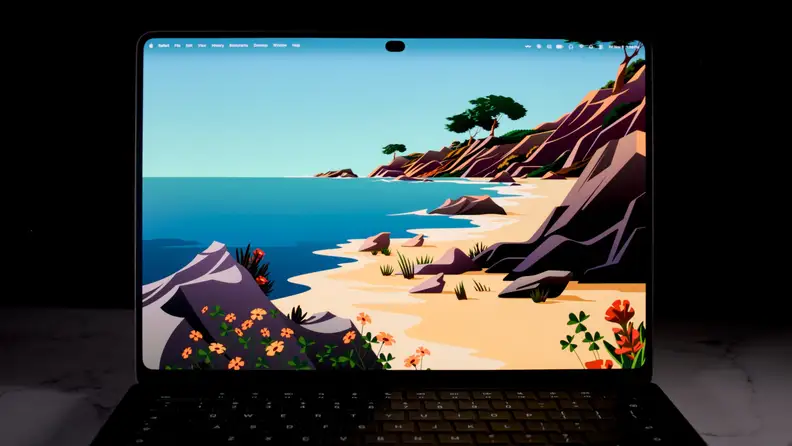
A MacBook Pro screen facing the camera shows an illustrated beach scene with orange flowers and rocky cliffs, with the menu bar and Dynamic Island cutout at the top.
Credit: Reviewed / Christian de Looper

The Tandem OLED panel keeps blacks deep and colors saturated, with less blooming than a typical LED screen.

Best MacBook
MacBook Pro 14-inch Laptop with PROLED XDR Touch Display

The MacBook Pro with PROLED XDR display is a big upgrade for Apple's high-end laptop. The screen is the headline change. It's a tandem OLED panel with stunning brightness and rich colors, plus it's the first MacBook to get a touchscreen, which could be handy if you find touch displays useful. It's powered by Apple's impressive M5 Pro and M5 Max chips, comes with 24GB of RAM (up to 128GB on the top M5 Max), and has a lighter-weight build despite offering the same battery life as previous MacBook Pros. The only downside? It's pricey—the PROLED model starts at $2,899, and the cheaper entry point in the lineup is the $1,999 M6 MacBook Pro with a Liquid Retina XDR panel.

Pros

  • Stunning OLED display

  • Touch works well in macOS

  • Strong performance

  • Thin and light

  • Great port selection

  • Excellent keyboard, trackpad, and speakers

Cons

  • Very expensive

  • Can run hot under heavy loads

  • No processor upgrade over the mini-LED model

  • Some touch quirks

Buy now at Best Buy

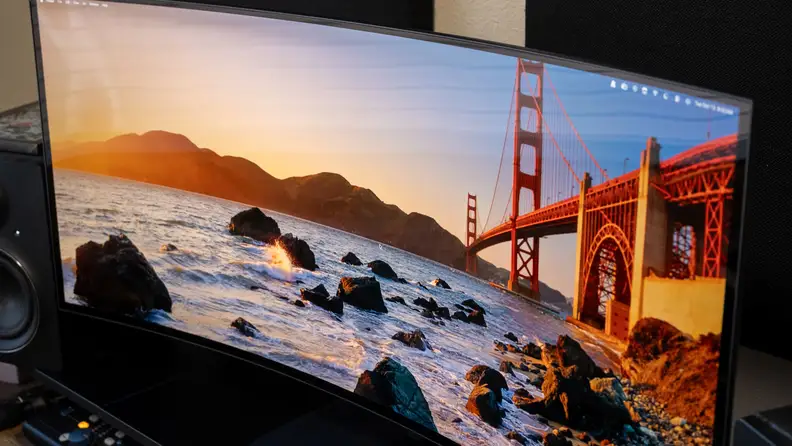
Dell XPS 13 showing coastal scene on display.
Credit: Reviewed / Marc Saltzman

The Dell XPS 13 stands up to the pricier MacBook Neo in almost every category.
Best Value Windows Laptop
Dell XPS 13 (2026) Series 3 Intel Core 5-320, 6 cores

Dell's budget XPS matches the MacBook Neo on price and beats it on some of the details. It starts at $699.99 with an Intel Core i5 320, 8GB of RAM, and 256GB of storage, or $999 with 16GB of RAM and 512 GB of storage. It weighs 2.2 pounds compared to the MacBook Neo's 2.7 pounds, and its keyboard is backlit. Battery life comfortably stretches through a full workday and then some, with a slight edge over the $699 Neo.

The 8GB model can stutter, and the integrated graphics stumble in games. The $999 version with 16GB of RAM is the more convincing package, though. It keeps the price low without giving up the portability, keyboard, and battery life that make this laptop so appealing. Video editing is still a stretch, but that's hardly surprising at this price.

Pros

  • Great price

  • Excellent battery performance

  • Compact and thin laptop, nice design

  • Impressive touchscreen, good audio

Cons

  • Fan can get noisy

  • Limited color options (only two shades of gray)

  • Performance good but not great

  • Only two USB-C ports

Buy now at Dell

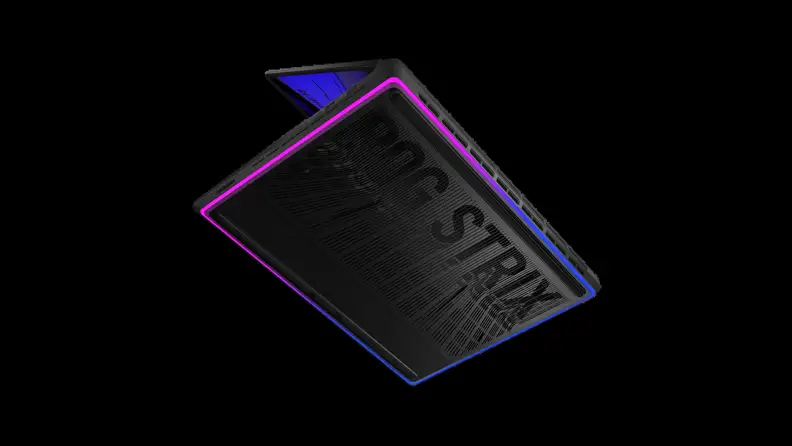
The lid of an ASUS ROG Strix gaming laptop tilted at an angle against a black background, with magenta and blue lighting along its edges and Strix lettering etched into the lid.
Credit: Reviewed / ASUS

The SCAR 18 is loud on purpose, with a big 4K screen and hardware that doesn’t hold back.
Best Gaming Laptop
ASUS ROG Strix SCAR 18 (2026) G835

The Asus ROG Strix Scar 18 is anything but subtle—it starts at $4,299.99 with a Core Ultra 9 290HX Plus, an RTX 5080 capped at 175W, and an 18-inch 4K Mini LED panel at 240Hz. The RTX 5090 config is $4,999.99 and runs at the same 175W. Asus says the display is the first to combine 4K, Mini LED, and 240Hz, and rates it at up to 1,600 nits, which is plenty bright. You can upgrade the RAM and storage without tools, to 128GB and 8TB, respectively.

The memory can ship single-channel, though, which is disappointing. Even so, the Scar 18 is an impressive showcase for mobile gaming hardware, pairing a huge, fast display with plenty of power and unusually easy access for upgrades.

Pros

  • Brilliant 18-inch 4K 240Hz Mini-LED display

  • Intel Core Ultra 9 290HX Plus with RTX 5080 or 5090

  • Thunderbolt 5 and modern connectivity

  • Easy-access RAM and SSD upgrades

  • Eye-catching customizable lighting

Cons

  • Very expensive

  • Ships with single-channel RAM

  • No PCIe 5.0 SSD out of the box

  • Heavy at over 8 pounds

  • Soft-focus webcam

$4,299.99 from Amazon


$4,299.99 from Walmart


$4,299.99 from Best Buy

View of Alienware 39 5K OLED Gaming Monitor (AW3926QW) showing reflection from background light.
Credit: Reviewed / Christian de Looper

The glossy panel boosts sharpness and contrast, but it can pick up reflections from windows and overhead lights.
Best Gaming Monitor
Alienware 39 5K OLED Gaming Monitor AW3926QW

The Alienware AW3926QW adds useful vertical screen space to the usual ultrawide format. At $1,099.99, you get a 39-inch display with 5,120 x 2,160 resolution and a tandem OLED panel with a 1500R curve—all running at 165Hz natively or 330Hz at 2,560 x 1,080. Dell's RGB-stripe subpixel layout also means text renders sharply, which matters if this monitor will spend as much time displaying documents as games.

The $1,799.99 LG 39GX950B-B gets brighter when much of the screen is displaying white, but it costs another $700. The Alienware already has the important parts covered. It's big, fast, and sharp enough to handle work during the day and games after it, without pushing the price into ridiculous territory.

Pros

  • Crisp resolution

  • Versatile size and features

  • More affordable than its competitor

Cons

  • Brightness is a bit lacking

  • Refresh rate could be better

  • Can reflect some background light

  • Stand can be wobbly depending on adjusted height

Buy now at Dell

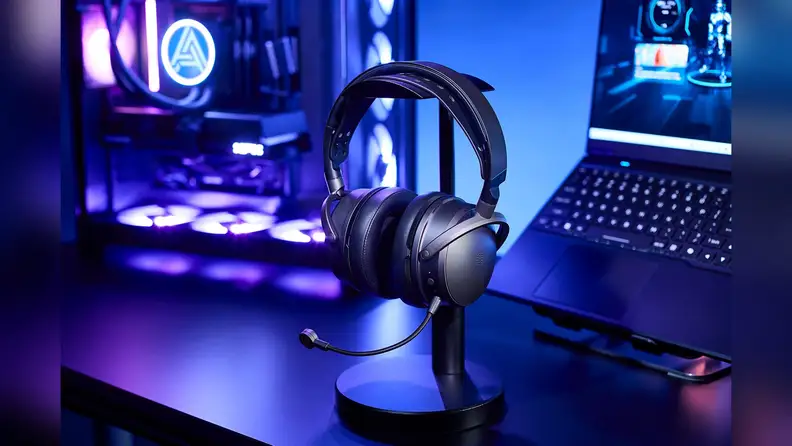
An Audeze Maxwell 2 headset with its boom microphone extended, hanging on a stand on a dark desk beside a laptop and a PC glowing with blue and purple lighting.
Credit: Reviewed / Audeze

Planar magnetic drivers help footsteps and gunfire sound distinct, which matters in competitive games.
Best Gaming Headset
Audeze Maxwell 2 Wireless Gaming Headset (PlayStation/PC)

The Audeze Maxwell 2 uses planar magnetic drivers, which can produce a crisper, more precise audio response than the drivers in most gaming headsets. The Maxwell 2 uses a flat 90mm diaphragm driven across its whole surface, so footsteps and gunfire separate more cleanly. It costs $329 for the PlayStation version or $349 for Xbox, and Audeze rates playback at more than 80 hours. The microphone is excellent too, with clear voice reproduction that makes it especially good for team chat.

The weight is the only downside. At 560g (about 1.2 pounds), it's heavier than most alternatives. But the sound quality and microphone are good enough to make up for that heft. The Maxwell 2 shows how much better a gaming headset can sound when the audio hardware is treated as more than an accessory.

Pros

  • 90mm planar magnetic drivers sound fantastic

  • 80+ hour battery life

  • Comfortable suspension headband

  • Detachable boom mic plus beamforming mics

  • 2.4GHz and Bluetooth 5.3

Cons

  • Heavy at 560g

  • Can't manually switch between 2.4GHz and Bluetooth

  • Modest upgrade over the original Maxwell

  • Xbox version costs $20 more

$329.00 from Amazon


$329.00 from Walmart

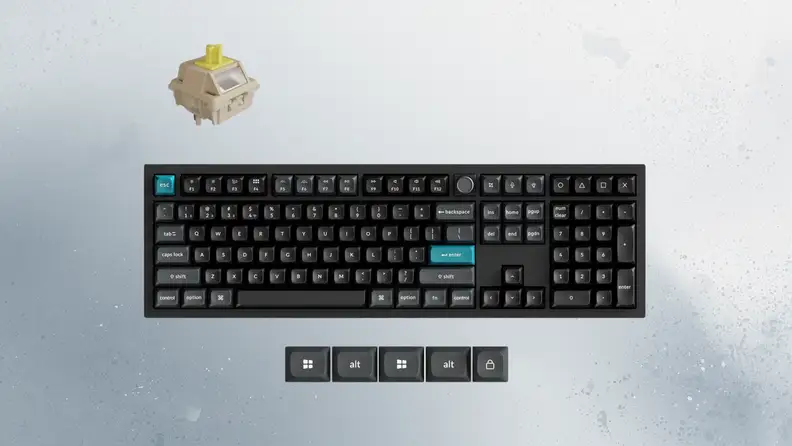
A black full-size Keychron keyboard with teal Esc and Enter keys, shown with a single mechanical switch above it and five spare keycaps below, against a gray textured background.
Credit: Reviewed / Keychron

Hot-swappable switches let you try different key feels without picking up a soldering iron.

Best Keyboard
Keychron Q6 Ultra 8K Wireless Custom Mechanical Keyboard

The Keychron Q6 Ultra 8K combines a full-size aluminum design with wireless connectivity and low-latency performance. The $239.99 Q6 Ultra 8K does all three, polling at 8,000Hz over 2.4GHz or a cable. In other words, it reports keystrokes 8,000 times a second instead of the usual 1,000. Keychron rates the 4,000mAh battery at up to 660 hours with backlighting off, and the switches are hot-swappable, so you can replace them without soldering.

The full-size layout and number pad make it especially useful for work, while the fast wireless connection means you don't have to sacrifice responsiveness to get it. It's a rare keyboard that feels as well suited to a spreadsheet as it does to a game.

Pros

  • 8,000Hz polling in wired and 2.4GHz modes

  • Up to 660 hours of battery life

  • CNC aluminum gasket-mount build

  • Hot-swappable switches and PBT keycaps

  • Connects to up to three devices via Bluetooth

Cons

  • Large and very heavy (nearly 5 pounds)

  • Tall KSA keycaps with small tops

  • Stock switches are heavy and lightly tactile

$239.99 from Amazon


$239.99 from Best Buy

Logitech MK850 Performance keyboard and mouse pictured from above
Credit: Reviewed / Jeremy Stamas

The Logitech MK850 Performance's keyboard feels nice to type on, and it doesn't have overly-long key throws.
Best Keyboard and Mouse Combo
Logitech Signature Comfort Plus Combo MK880

Logitech's $99.99 MK880 gives both the keyboard and mouse the same attention to comfort and build quality. The M850 L is Logitech's first mouse with a palm cushion under the heel of your hand, and both devices click and type quietly enough for an open office. Logitech rates the keyboard at up to three years on its batteries and the mouse at two years on a single AA battery. You can pair up to 3 devices over Bluetooth and switch between them with a button.

Comfort is the priority here, and Logitech has thought about it beyond adding a soft wrist rest. The palm cushion, quiet controls, and long battery life make the MK880 an unusually considerate bundle for people who spend all day at a computer.

Pros

  • Ergonomic design to reduce strain

  • Responsive keyboard for everyday use (not meant for gaming)

  • Versatile keyboard and mouse with support for multiple devices, programmable keys/buttons

Cons

  • Palmrest isn’t removable

  • Mouse is for right-handed users only

$99.99 from Amazon

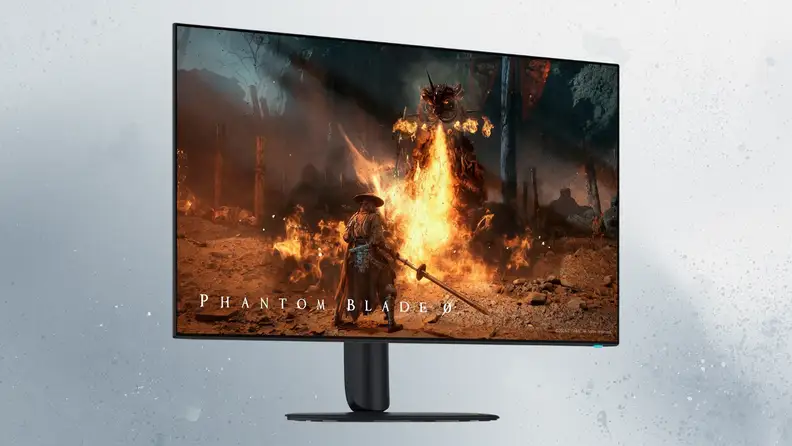
An Alienware 32-inch monitor on a black stand, its screen showing a game scene of a swordsman facing a fire-breathing creature, against a gray-white textured background.
Credit: Reviewed / Alienware

Deep blacks and rich color are the draw, and 165Hz is plenty for most games.
Best 4K Monitor
Alienware 32 4K OLED Gaming Monitor (AW3226Q)

Until recently, 4K OLED monitors this size often cost more than a capable computer—but that's finally starting to shift. The Alienware AW3226Q is $699.99 and uses the same RGB-stripe tandem OLED technology as the 39-inch Alienware above, so text stays sharp. HDR highlights have reasonable punch, and the display offers broad color coverage for creative work.

Refresh stops at 165Hz, which is perfectly respectable for most games but won't satisfy everyone. That doesn't take away from what Alienware has achieved here. This monitor brings OLED's contrast and color to a much more approachable price point, while remaining sharp and versatile enough for everyday work.

Pros

  • Bright, high-contrast 4K tandem OLED

  • RGB-stripe subpixels make text crisp

  • Strong value at $700

  • Three-year warranty covers burn-in

  • Great for both work and play

Cons

  • 165Hz trails 240Hz rivals

  • DisplayPort 1.4, not 2.1

  • Limited USB-C docking

  • No built-in speakers

Buy now at Dell

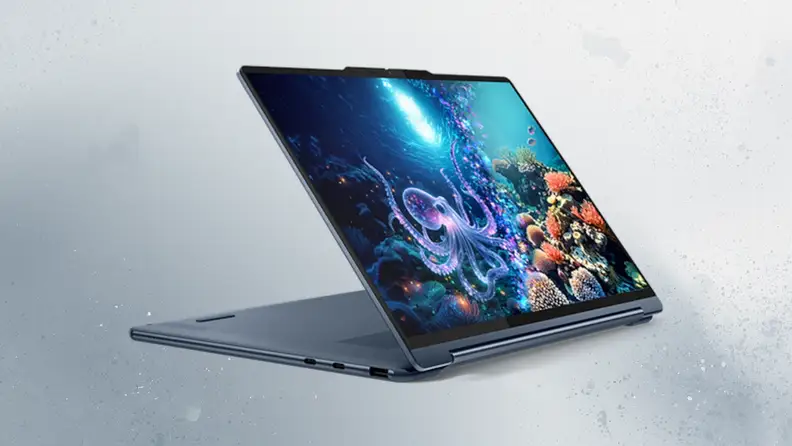
A blue Lenovo Yoga 9i 2-in-1 folded into a stand position, its screen showing an underwater scene with a glowing octopus and coral, against a gray textured background.
Credit: Reviewed / Lenovo

In stand mode, the Yoga 9i’s OLED touchscreen makes it as good for video as for work.
Best 2-in-1 Laptop
Lenovo Yoga 9i 2-in-1 Aura Edition (14-inch, Gen 11)

The Lenovo Yoga 9i avoids many of the compromises common to convertible laptops. Lenovo lists the Yoga 9i at $2,099.99 with a Core Ultra 7 355, 32GB of RAM, and a 14-inch 2,880 x 1,800 OLED touchscreen at 120Hz. The 70Wh battery comfortably lasts through a full day of mixed use, and the pen is in the box.

Samsung's $1,699.99 Galaxy Book5 Pro 360 is a bigger 16-inch convertible, but the Yoga's smaller size suits the 2-in-1 format well. It works as a laptop, a tablet, and a digital canvas without making the usual compromises to the display or battery life. That's what a good 2-in-1 should do.

Pros

  • Gorgeous 2.8K 120Hz OLED touchscreen

  • Intel Core Ultra 7 355 (Panther Lake)

  • Yoga Pen Gen 2 included

  • Excellent speakers

  • 15+ hours of battery life in testing

Cons

  • Expensive

  • Soldered RAM

  • Preloaded bloatware

  • Difficult to repair

Buy now at Lenovo

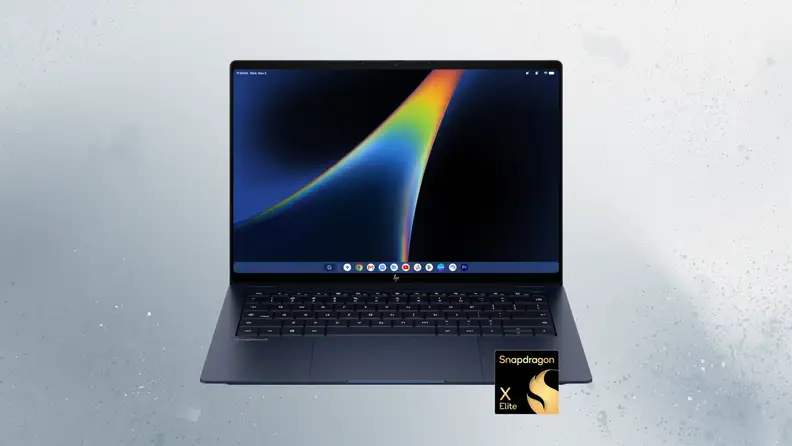
An open navy blue HP Googlebook 14 seen from the front, its screen showing a dark wallpaper with a rainbow streak and a row of app icons, with a Snapdragon X Elite badge in the corner.
Credit: Reviewed / HP

An OLED screen is the standout upgrade that sets HP’s Googlebook apart from cheaper options.
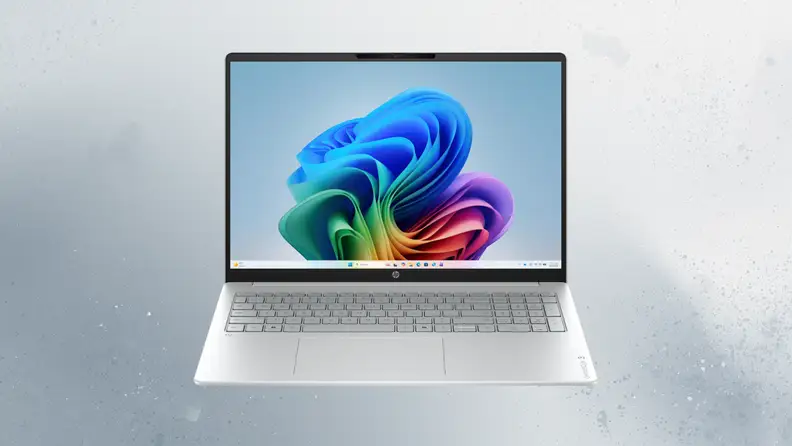
Best Googlebook
HP Googlebook 14 (Snapdragon X Elite, 16GB/512GB)

Googlebooks debuted this year, and while there were some bumps in the release, Google is working hard to improve the experience. Either way, Chromebook users will likely feel right at home on a Googlebook. The HP Googlebook 14 pairs Google's platform with a high-quality OLED display and capable hardware. It runs a Snapdragon X Elite with 16GB of RAM and a 14-inch 2,880 x 1,800 OLED touchscreen at 120Hz. HP lists $1,199 as the entry point for the 256GB model, and the 512GB version is near $1,299. HP rates this model at up to 19 hours, though Google rates the entire Googlebook line at up to 14 hours, and real-world battery life will depend on how you use it.

The $899 Acer Googlebook 14 matches the HP's 16GB of RAM and doubles its storage for $300 less, but HP's OLED screen helps justify the difference—it's a great-looking display. It's the kind of upgrade you notice every time you open the lid, and the rest of the hardware is strong enough to make Google's new platform feel properly premium.

Pros

  • Excellent 3K 120Hz OLED touchscreen

  • Premium, portable 2.7-pound build

  • Strong audio

  • 14+ hours of battery life in testing

  • Gemini AI built into Googlebook OS

Cons

  • Expensive

  • Only two USB-C ports

  • Android phone pairing was unreliable in testing

  • Trails the Acer Googlebook 14 in benchmarks

Buy now at Best Buy


$1,299.00 from Best Buy

An open silver HP OmniBook 3 16 seen from the front, its screen showing a colorful swirling ribbon wallpaper on light blue, against a gray textured background.
Credit: Reviewed / HP

Charging less often is the draw: This 16-inch laptop is built for long stretches away from an outlet.
Best Laptop for Battery Life
HP OmniBook 3 16 Next Gen AI (Snapdragon X, 16-bz0212nr)

Great battery life makes a major difference, especially if you work on a laptop all day. The HP OmniBook 3 16 lasts far longer than most laptops, including the longest-lasting MacBooks, and can get through multiple workdays away from a charger. It uses Qualcomm's entry-level Snapdragon X, a 16-inch 1,920 x 1,200 IPS screen, and a 68Wh battery. HP's starting price is $999.99.

The screen is less impressive than some others, especially for photo or video work, but for many, that won't matter—the endurance is remarkable, and it changes how you use the laptop. You can leave the charger at home without spending the day watching the battery percentage.

Pros

  • Outstanding 18+ hour battery life

  • Runs cool and quiet

  • Full keyboard with number pad

  • HDMI 2.1 and USB-A ports

  • 1080p IR webcam with privacy shutter

Cons

  • Dim, washed-out display

  • Plastic chassis flexes

  • Weak integrated graphics

  • Soldered RAM

  • Mediocre speakers

$1,099.99 from Walmart


$1,099.99 from Best Buy

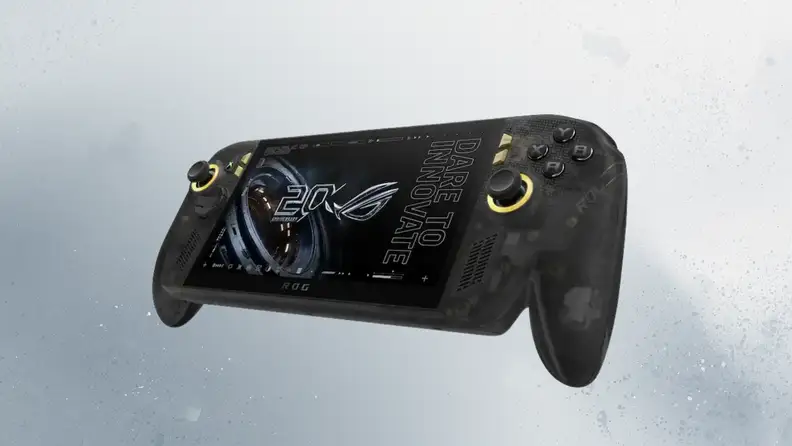
A black ASUS ROG Xbox Ally X20 handheld with a dark, semi-translucent shell and yellow-ringed joysticks, its screen showing a ROG 20th anniversary graphic, against a gray textured background.
Credit: Reviewed / ASUS

Bright OLED is the headline feature here, and it helps motion look smooth even when frame rates dip.
Best Gaming Handheld
ASUS ROG Xbox Ally X20 (2026) RC74XA

The Xbox Ally X20's bright 7.4-inch OLED display is its standout feature. It costs $1,299.99 with a Ryzen AI Z2 Extreme, 24GB of RAM, and a 1TB drive. Battery life is less impressive, though. Expect to reach for the charger after a few hours of gaming.

The processor is the same Z2 Extreme as before and can't keep pace with Intel's Arc G3 Extreme in games. Still, the display makes a strong case for the Ally X20. Games look rich and fluid, and the variable refresh rate helps keep motion looking smooth when performance fluctuates.

Pros

  • Gorgeous 7.4-inch 120Hz OLED display

  • TMR joysticks resist stick drift

  • Excellent rubberized grips

  • Translucent anniversary design

  • Strong thermals

Cons

  • $300 more than the Xbox Ally X

  • No performance gain over the Xbox Ally X

  • Short battery life in AAA games

Buy now at Best Buy

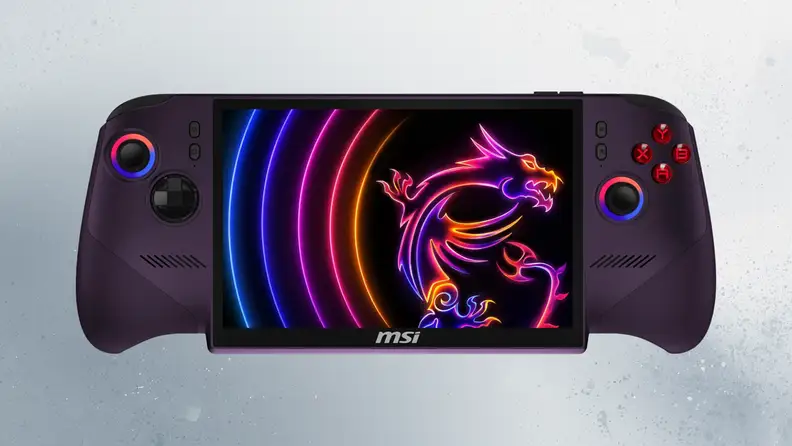
A purple MSI Claw handheld gaming PC seen from the front, its screen showing the MSI dragon logo with colorful arcs, with glowing-ring joysticks and red face buttons.
Credit: Reviewed / MSI

The Claw earns its award on performance, with frame rates that hold up even on battery.
Best High-End Gaming Handheld
MSI Claw 8 EX AI+ (CG3EM)

The MSI Claw 8 EX AI+ stands out for its gaming performance. The $1,799.99 Claw 8 EX AI+ runs Intel's Arc G3 Extreme, which delivers noticeably higher frame rates than the Ally X and Legion Go 2, even when you're gaming on battery power. It also has 32GB of RAM and an 8-inch 1,920 x 1,200 120Hz screen.

That screen is disappointing for the price. At $1,799, MSI still ships IPS, and the $1,349.99 Lenovo Legion Go 2 gave you OLED for $450 less at launch, before the same component-driven price hikes that hit everything else wiped out the gap. The Claw earns its award on performance, though. It pushes handheld gaming forward where it counts most, with enough power to make demanding games feel less compromised away from a desk.

Pros

  • Class-leading handheld performance

  • Strong battery life from an 80Wh cell

  • Big, bright 8-inch 120Hz display

  • Comfortable ergonomics

  • Two USB4 ports and a microSD Express slot

Cons

  • $1,800 price is expensive

  • No OLED at this price

  • Full-screen Xbox experience still needs work

$1,799.99 from Best Buy

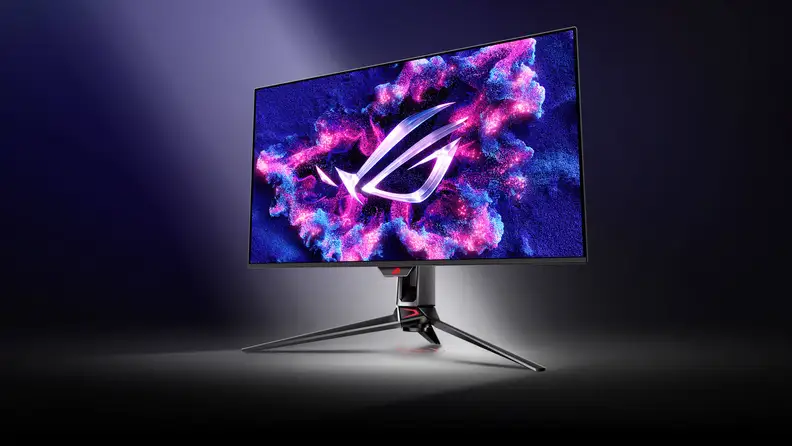
An ASUS ROG Swift gaming monitor on a tripod-style stand, its screen showing the ROG logo over swirling pink and blue clouds, lit by a spotlight on a dark background.
Credit: Reviewed / ASUS

A 240Hz refresh rate and a fast DisplayPort 2.1 connection set this 4K OLED apart from cheaper options.
Best Monitor
ASUS ROG Swift OLED PG32UCDM Gen3 (PG32UCDM3)

The $1,299 Asus ROG Swift OLED PG32UCDM3 is a 32-inch 4K monitor built for high-end gaming. The PG32UCDM3 uses a fourth-generation tandem QD-OLED panel with a semi-glossy BlackShield coating, running at 240Hz with DisplayPort 2.1 at full 80Gbps, plus 90W of power delivery over USB-C. Asus rates peak HDR brightness at 1,000 nits with DisplayHDR True Black 500 and 99% DCI-P3 coverage.

That's a real step above the 165Hz Alienware AW3226Q at $699.99. The higher refresh rate, faster connection, and excellent panel make this one of the most complete gaming monitors on the market. It's expensive, but the hardware largely backs up the price.

Pros

  • Superb HDR and SDR image quality

  • 4K 240Hz with near-instant response

  • DisplayPort 2.1 UHBR20

  • Dolby Vision support

  • 90W USB-C and a three-year warranty

Cons

  • Expensive

  • No built-in speakers

$1,299.00 from Amazon


$1,425.33 from Walmart


$1,402.99 from Best Buy

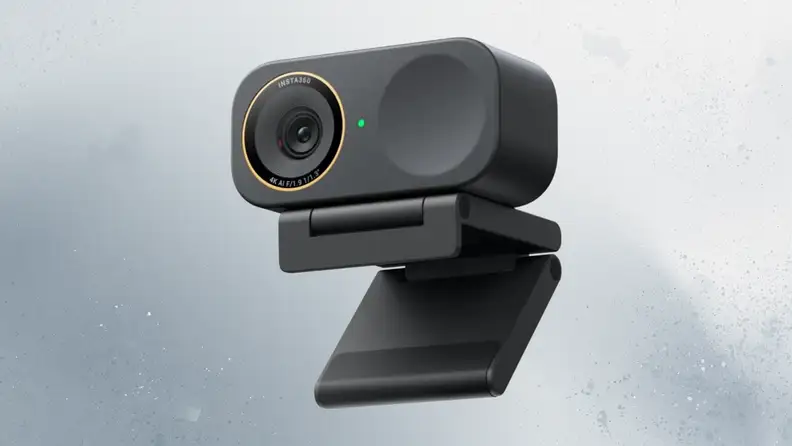
A black Insta360 Link 2C Pro webcam with a gold-ringed lens and a green indicator light, sitting on its folding clip mount against a gray textured background.
Credit: Reviewed / Insta360

A larger sensor helps the Link 2C Pro keep video clean in dim rooms, where many webcams struggle.
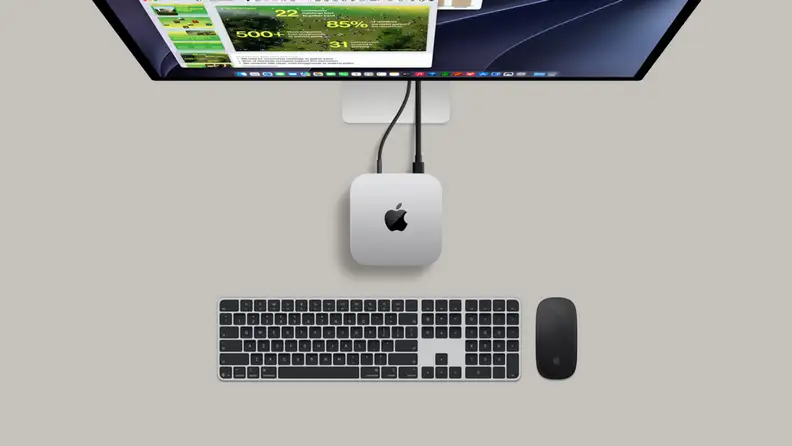
A top-down view of a silver Mac mini with a black Apple logo on its top surface, centered on a warm gray desk below a display, with two cables running up to the display’s stand, and a keyboard with black keys and a black mouse laid out beneath it.
Credit: Reviewed / Apple

The Mac mini is a tiny box that only does its job once you plug in a display, keyboard, and mouse.
Best Mini PC
Apple Mac Mini 2026 (M6)

Apple's Mac mini remains a strong compact desktop, even with its higher starting price. The $899 model runs an M6 with a 12-core CPU, 16GB of memory, and a 256GB SSD in a 5-inch square weighing 1.5 pounds. The M6 is the first Apple chip built on a 2-nanometer process, and the base machine now drives three external displays, with Wi-Fi 7 and 2.5Gb Ethernet standard, whereas the previous model had Wi-Fi 6E and a gigabit port configurable to 10Gb.

Storage starts at 256GB, and you can't upgrade it later, which is frustrating. Even so, the Mac mini packs a remarkable amount of computer into a tiny, quiet box. The improved connectivity and support for three displays make it even more useful without disturbing the compact design.

Pros

  • Tiny, quiet design

  • Drives three external displays

  • Wi-Fi 7 and 2.5Gb Ethernet standard

  • M6 chip on a 2nm process

  • 16GB of memory at the base price

Cons

  • Storage can’t be upgraded later

  • Base model has only 256GB

  • Higher starting price than before

$779.00 from Amazon

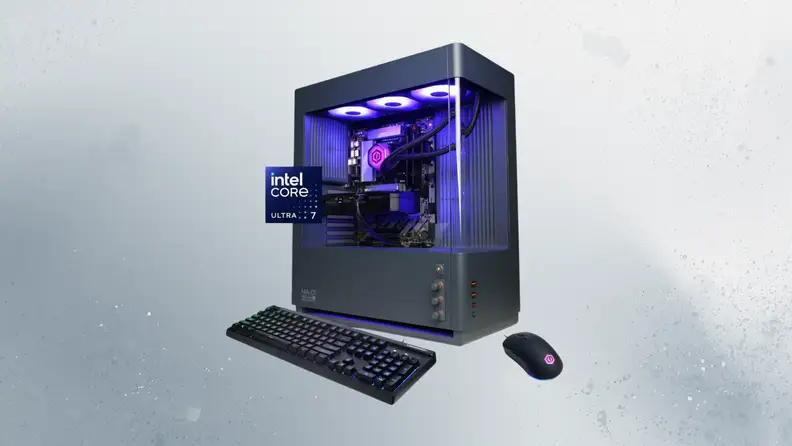
CyberPowerPC Gamer Xtreme tower with a glass side panel showing purple-lit components, shown with a backlit keyboard and mouse and an Intel Core Ultra 7 badge, against a gray textured background.
Credit: Reviewed / CyberPower

Standard ATX parts inside mean you can swap the GPU and cooling later instead of replacing the whole PC.
Best Gaming PC
CyberPowerPC Gamer Xtreme MA-01 Gaming Desktop (GXi3200BSTV11)

The CyberPowerPC Gamer Xtreme MA-01 avoids the limited upgradability common to many prebuilt PCs. The MA-01 starts around $1,322 configured with a Core Ultra 5 225F and a Radeon RX 6500 XT, but the build worth buying is $2,299.99 at Best Buy, with a 24-core Core Ultra 7 270K Plus, an RTX 5070, 32GB of DDR5, a 2TB SSD, and an 850W power supply. It's also a strong productivity machine, with plenty of CPU performance for demanding work alongside gaming.

The glass case takes standard ATX parts, so you can replace the GPU and cooling later. That gives the MA-01 a longer useful life than prebuilts designed around proprietary components. It's powerful out of the box, and it doesn't lock you into that original configuration forever.

Pros

  • Stylish MA-01 case with analog lighting dials

  • Six pre-installed ARGB fans

  • Roomy, upgrade-friendly ATX layout

  • Solid 1080p gaming performance

Cons

  • Thin panels and plasticky knobs

  • RGB can't be controlled in software

  • No USB4 or Thunderbolt

  • Wi-Fi 6 only

Buy now at Best Buy


$1,239.99 from Best Buy

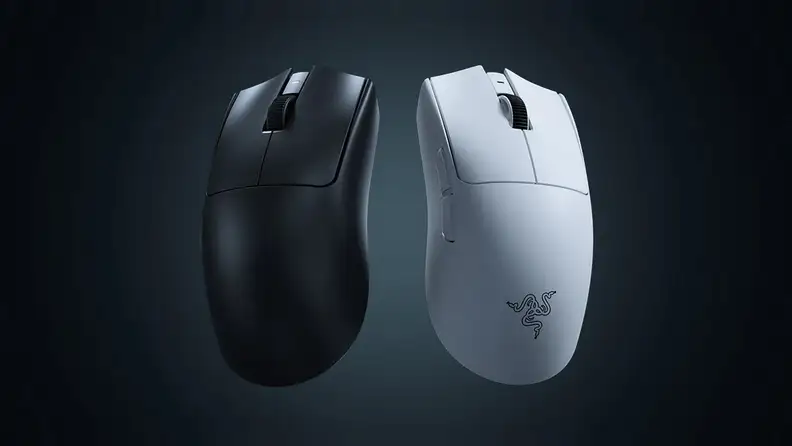
A black and a white Razer Viper V4 Pro gaming mouse side by side against a dark gray-blue background, with the Razer logo visible on the white one.
Credit: Reviewed / Razer

Optical switches avoid the double-click failures that eventually plague many mice.
Best Gaming Mouse
Razer Viper V4 Pro Wireless Esports Gaming Mouse

The Razer Viper V4 Pro reduces weight while increasing battery life. The Viper V4 Pro starts at $159.99, weighs 49g (about 1.7 ounces), and Razer rates it at up to 180 hours of wireless play. The Focus Pro 50K Gen-3 sensor is rated to 50,000 DPI, a number nobody needs, but the 8,000Hz wireless polling is what matters in a firefight. Razer also moved the scroll wheel and main switches to optical, which removes the double-click failure that eventually kills most mice.

The $179.99 Logitech G Pro X2 Superstrike adds haptic clicks, but Razer's improvements feel more fundamental. The low weight, long battery life, and optical controls address both performance and longevity. It's a thoughtful upgrade rather than a simple sensor bump.

Pros

  • Ultralight 49g design

  • Focus Pro 50K Gen-3 optical sensor

  • 8,000Hz polling wired and wireless

  • Up to 180 hours of battery life

  • Gen-4 optical switches rated for 100M clicks

Cons

  • Expensive

  • Loud clicks

  • Stiff cable for wired play

  • No RGB lighting

$159.99 from Amazon


$159.99 from Walmart


$159.99 from Best Buy

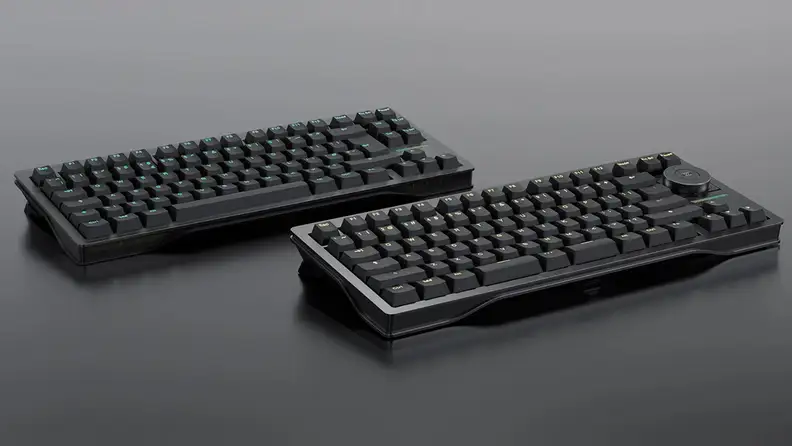
Two black Wooting mechanical keyboards angled on a dark gray surface, one with a round knob in its top-right corner.
Credit: Reviewed / Wooting

Rapid Trigger and adjustable actuation are the big draws for competitive players.
Best Gaming Keyboard
Wooting 80HE+ Analog Gaming Keyboard (ANSI, ABS Plastic, Dark)

The Wooting 80HE+ uses Hall effect switches, which measure how far a key travels rather than only whether it's pressed. The $199.99 80HE+ uses Lekker Tikken Medium switches with adjustable actuation from 0.1mm to 4mm and Rapid Trigger, which resets a key the instant you release it. Polling runs at 8,000Hz, so input latency is 0.125ms.

There's no wireless option or number pad at this 80% size. Those omissions are easy to understand given the keyboard's focus on gaming, though. The adjustable switches and fast response make a real difference to how precisely you can control each keypress, and that's enough to set the 80HE+ apart.

Pros

  • Lekker Tikken Hall effect switches

  • 0.1mm-4.0mm adjustable actuation with Rapid Trigger

  • True 8kHz polling

  • FR4 plate with gasket mount

  • Four-year warranty

Cons

  • Wired only

  • Sold direct from Wooting only

  • Zinc case and Lekker Knob cost extra

Buy now at Wooting

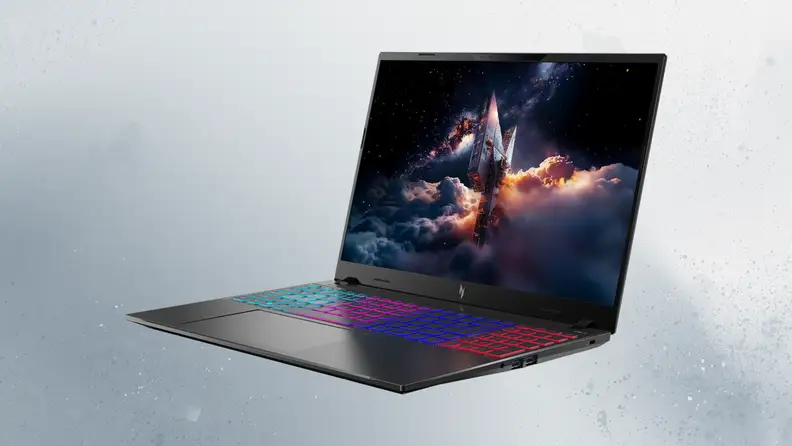
A black Acer Nitro V gaming laptop open at an angle, its screen showing a spacecraft rising through clouds and its keyboard lit in blue, purple, and red, against a gray-blue textured background.
Credit: Reviewed / Acer

The Nitro V keeps costs in check without leaving out the fast screen gamers care about.
Best Budget Gaming Laptop
Acer Nitro V 16S AI Gaming Laptop (ANV16S-I51-79L7)

The Acer Nitro V 16S AI focuses on gaming performance while keeping the price relatively accessible. The ANV16S-I51 pairs an Intel Core Ultra 7 355 with an 8GB RTX 5060, 16GB of DDR5, and a 16-inch 1,920 x 1,200 IPS panel at 180Hz. Acer hasn't published a firm U.S. list price for this exact configuration, so treat the number at checkout as the one that matters. The near-identical AMD version sells for $1,299.99 and offers enough battery life to handle a full day away from your desk.

The Nitro gets the overall balance right. The fast screen and respectable battery life make it useful beyond gaming, which isn't something every budget gaming laptop can claim.

Pros

  • Slim aluminum design for a gaming laptop

  • Fast 16-inch 180Hz IPS display

  • Intel Core Ultra 7 355 with RTX 5060

  • Good port selection with microSD

  • 4-zone RGB keyboard

Cons

  • RTX 5060 trails price-competitive rivals

  • Disappointing 720p webcam

  • Lots of bloatware

  • No Thunderbolt

Buy now at Acer

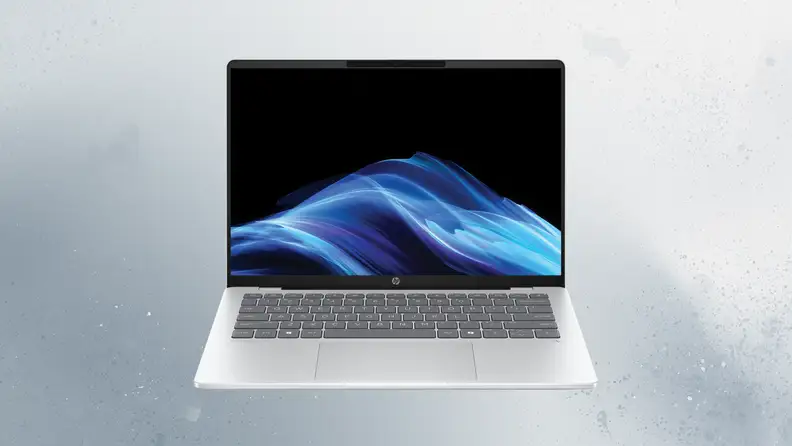
An open silver HP OmniBook 5 14 seen from the front, its screen showing a blue wave design on a black background, against a gray textured background.
Credit: Reviewed / HP

An OLED display and all-day battery make the OmniBook 5 14 a good fit for a student’s backpack.
Best Laptop for Students
HP OmniBook 5 14 Next Gen AI (Snapdragon X, 14-he0027nr)

The HP OmniBook 5 14 combines strong battery life with a portable design and an OLED display. The Snapdragon version of HP's OmniBook 5 14 comes with 16GB of RAM, a 256GB SSD, and a 14-inch 1,920 x 1,200 OLED, and Best Buy lists it at $1,049.99. Battery life is excellent, easily stretching through a full day of classes and well into the next.

The screen is the catch. It's rated at 300 nits, so it's dim, and the USB-C ports top out at 10Gbps. Those limitations aside, the OmniBook 5 14 covers the student essentials well. It's portable, has a colorful OLED, and won't need to spend half the day attached to a classroom outlet.

Pros

  • Marathon battery life (16 to 28 hours in testing)

  • Vivid 14-inch 2K OLED

  • Lightweight 2.85-pound build

  • Comfortable keyboard and touchpad

  • Fast 50% charge in 30 minutes

Cons

  • No HDMI port

  • Glossy screen picks up glare

  • Middling performance and weak gaming

  • Some Arm app compatibility gaps

Buy now at Best Buy

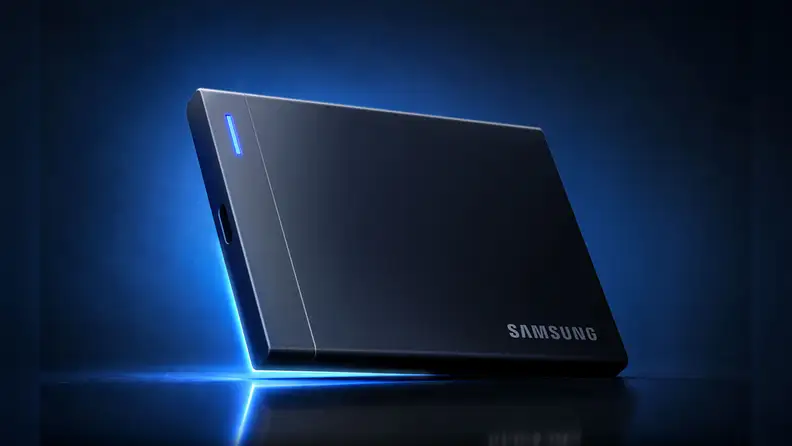
A black Samsung portable SSD standing at an angle on a reflective surface, with a blue glow along its bottom edge and a blue indicator light, against a dark blue background.
Credit: Reviewed / Samsung

The P9 only reaches its top speeds on a USB4 or Thunderbolt 4 port, so check your laptop first.
Best Portable SSD
Samsung Portable SSD P9 2TB (USB4)

Samsung's Portable SSD P9 uses USB4 to deliver much faster transfer speeds than earlier portable drives. Samsung rates the P9 at 4,000 MB/s reads and 3,800 MB/s writes, roughly double what the T9 manages, and it can reach those speeds over a compatible USB4 connection. The 2TB model lists at $649.99, roughly 32 cents a gigabyte.

The speed appears only over a USB4 or Thunderbolt 4 port, and most laptops still ship with USB-C at 10Gbps, where the drive falls back to a fraction of its rating. With the right connection, though, the P9 can cut the time spent moving large files. It brings a meaningful speed increase to portable storage rather than another small bump on a spec sheet.

Pros

  • Up to 4,000MB/s reads and 3,800MB/s writes

  • Sustains long writes better than most

  • Runs cool despite compact size

  • AES 256-bit hardware encryption

  • Five-year warranty

Cons

  • Expensive

  • No IP dust or water rating

  • Full speed requires a USB4 host

$649.99 from Amazon

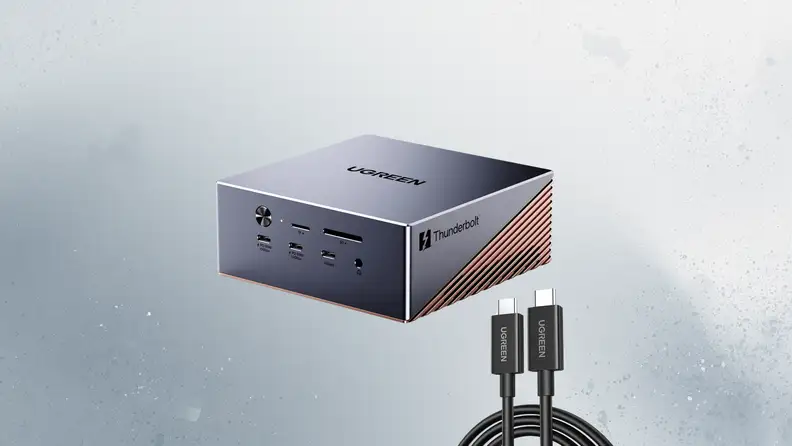
A UGREEN Maxidok docking station with a row of ports on its front and copper-colored vents on its side, shown with a black Thunderbolt cable, against a gray textured background.
Credit: Reviewed / UGREEN

A built-in M.2 slot sets the Maxidok apart from typical docks, adding storage along with ports.
Best USB-C Hub
UGREEN Revodok Maxidok 17-in-1 Thunderbolt 5 Docking Station

The Ugreen Revodok Maxidok 17-in-1 includes a built-in drive bay alongside its selection of ports. The Maxidok 17-in-1 lists at $499.99 and features Thunderbolt 5 at up to 120 Gbps, an M.2 NVMe slot that supports up to 8 TB, six USB ports at 10 Gbps, 2.5Gb Ethernet, and 140W of passthrough charging. The rear port selection could be better, though, especially if you want to keep several high-speed accessories connected permanently.

The CalDigit TS5 Plus spreads 20 ports across its shell at a similar price, but Ugreen's internal SSD slot makes its dock especially versatile. It can expand your storage, connect your accessories, and charge your laptop with a single device. That's a useful twist on the usual desktop dock.

Pros

  • 17 ports including three Thunderbolt 5

  • 140W host charging, 240W total

  • M.2 NVMe slot supports up to 8TB

  • SD and microSD readers plus 2.5GbE

  • Quiet, compact aluminum case

Cons

  • Premium price

  • No HDMI port

  • Huge external power brick

  • M.2 slot and 2.5GbE underperform their ratings

$369.99 from Amazon

Related content