How to edit text in a PDF with Adobe Acrobat
Update a PDF without starting the whole document over
 Credit:

This content was paid for by a brand partner.
This article contains affiliate links, and we may earn a commission on purchases at no extra cost to you.
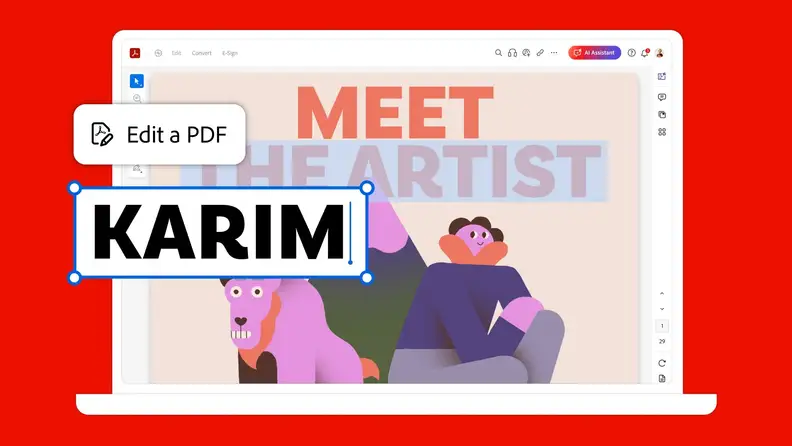
Here's how to edit text in a PDF: open the file in Adobe Acrobat, choose Edit PDF and click the text you want to change. Acrobat Pro is the best fit for anyone who needs to fix words, fonts or layout in an existing PDF without the original Word file.
Say you just moved, and an invoice is due to a client today. You open the PDF you always send and realize your old address is still printed right at the top. The Word file you built it from is stuck on an old laptop you can't get into anymore, so the PDF is all you have. That's usually where people start retyping the whole invoice from scratch, but you don't have to. Acrobat lets you edit a PDF on your computer, in a browser or on your phone.
Click into any PDF to change text, fonts and images right on the page, with a 7-day free trial to start.
How to edit text in a PDF in 4 steps
- Open the file in Acrobat. Drag it in or open it from your files.
- Select Edit PDF. The text and images on the page become editable.
- Click the text you want to change. The Format panel handles font, size and color, and the Objects panel lets you crop, move or replace images. When you add a new text box, line or bulleted list, the rest of the page shifts to make room. Adobe's guide to adding text in Acrobat walks through each option.
- Save. Your corrected PDF is ready to send, with nothing to re-export.
Quick tip: Run spellcheck and find-and-replace before you save. A misspelled client name usually shows up more than once.
Editing existing text is an Acrobat Pro feature, and Adobe offers a 7-day free trial (trial terms checked November 2026), which is plenty of time to clean up a resume or fix an invoice. Once the words are right, you can also give the whole document a visual refresh. Stylize applies a new look across the file, such as updated fonts and colors, so the corrected invoice looks polished before it goes out. Here's more on Acrobat's Stylize feature.
How to rearrange, delete or add PDF pages
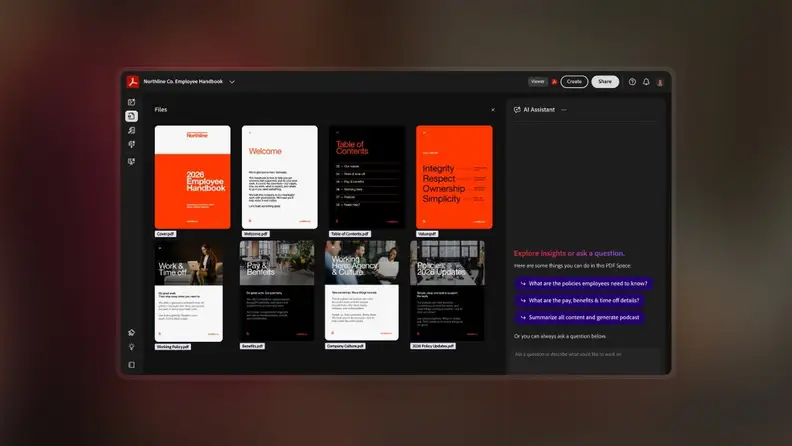
Sometimes the words are fine and the pages are just in the wrong order. You don't need Pro for that. With a free Adobe account, Acrobat's online tools let you organize pages, so you can rearrange PDF pages, delete the blank one at the end, add a new page, rotate a sideways scan or pull a single page out into its own file.
You can also merge several PDFs into one, split a long file into smaller ones or compress a file that's too big to email.
Edit PDFs from your phone, tablet or browser

For how to edit a PDF on iPhone or Android, download the Acrobat app, open your file and tap Edit PDF. It comes in handy when someone flags a mistake while you're nowhere near your desk. Editing text in the app is part of Acrobat Pro, same as on desktop.
Acrobat also works in a web browser, so you can make changes from a work laptop or a shared computer without installing anything. On a tablet, the free Acrobat tools also let you add comments and highlights to a PDF. Adobe also has a step-by-step guide to marking up a PDF on an iPad.
Quick answers to common PDF editing questions
A lot of everyday PDF jobs don't need a paid plan at all. Signing a lease, filling out a permission slip or pulling one page out of a long contract all work with the free tools. If you want full control over your PDFs, including changing the words already on the page, you'll want full Acrobat Pro access.
Free with an Adobe account:
- Add comments, highlights, and text boxes
- Fill and sign forms
- Reorder, delete or insert pages
Needs Acrobat Pro (7-day free trial):
- Edit existing text and fonts
- Edit text in scanned files
Which option fits you:
- Filling out forms or signing a lease now and then: a free Adobe account
- Freelancers fixing invoices and contracts: Acrobat Pro
- Small teams editing and sharing PDFs across desktop, web and mobile: Acrobat Pro
Can I edit a PDF for free?
Partly. With a free Adobe account, you can add comments and highlights, fill and sign forms, and reorder, delete or insert pages. Changing the text and fonts already in a PDF takes Acrobat Pro, which comes with a 7-day free trial, so you can fix an urgent file before choosing a plan.
Why can't I edit the text in my PDF?
Most PDFs that won't let you edit them are scans or images, so the text on the page isn't real text.
Acrobat Pro runs optical character recognition (OCR) on the file, which turns that image into text you can click on, change and save like any other PDF.
Can I edit a PDF on my phone?
Yes. The Acrobat app for iPhone and Android opens your file, and Edit PDF lets you change text right on the screen, which helps when a mistake gets flagged while you're away from your desk. Editing existing text in the app is part of Acrobat Pro, the same as on desktop.
How do I delete or rearrange PDF pages?
Sign in to Acrobat's free online organize pages tool with an Adobe account, upload your file and drag the page thumbnails into the order you want. From there, you can delete a page, insert a new one, rotate a sideways scan or pull a single page into its own file, then download the updated PDF.
When should you convert to Word instead?
Small fixes are faster right in the PDF. For a bigger rewrite, like reworking whole sections of a report, it's easier to convert the file to Word, make your changes there, and save it as a PDF again. Acrobat handles that conversion too, so you don't need a separate tool.
Bottom line: Acrobat Pro for text, free tools for the rest
Adobe Acrobat Pro is the best choice for editing existing PDF text, including scanned files, while a free Adobe account covers comments, form signing, and page organizing. One wrong date used to mean digging up the original file, fixing it and exporting a brand-new PDF. With Adobe Acrobat, you fix the mistake where it sits and send the file back out.
One app for editing text, managing pages and sharing files on desktop, web and mobile, with a 7-day free trial to start.